
User Manuals
How to Program Serial Number under DOS Mode
This step-by-step guide demonstrates how to update the device serial number via a FreeDOS bootable USB drive. It covers creating bootable media with Rufus, booting from USB, and configuring serial number using SMBCFG.EXE. Note that AMIDDOS.EXE may lack compatibility with new hardware platforms.
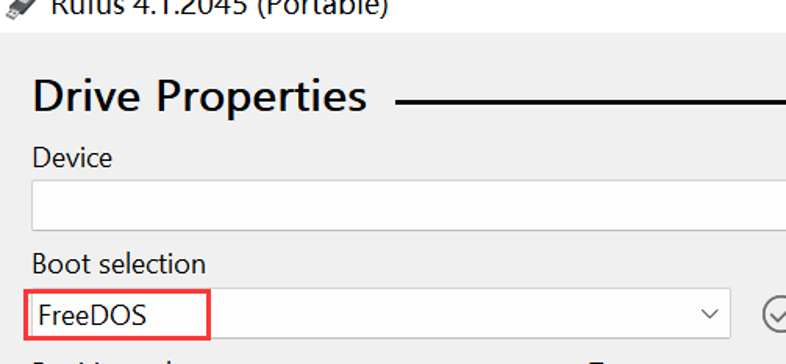
Create a FreeDOS bootable USB drive using Rufus.
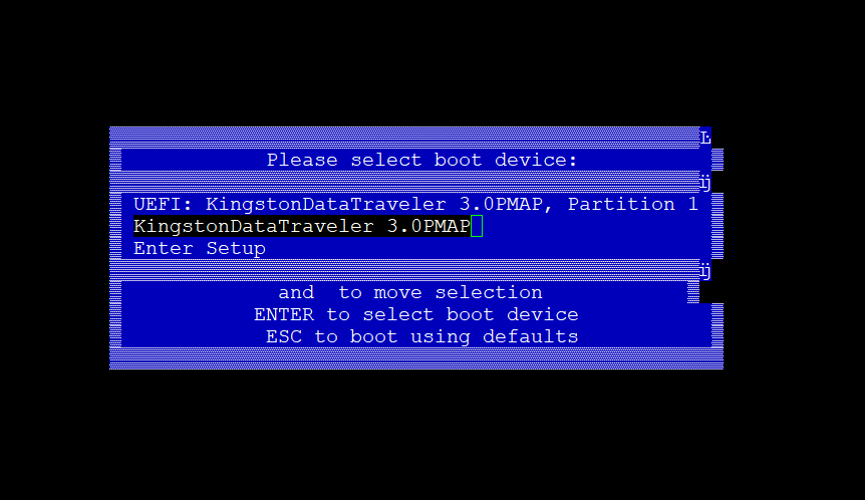
Power on the device and boot from the USB drive.
AMIDDOS.EXE may not be compatible with newer platforms. SMBCFG.EXE is recommended.
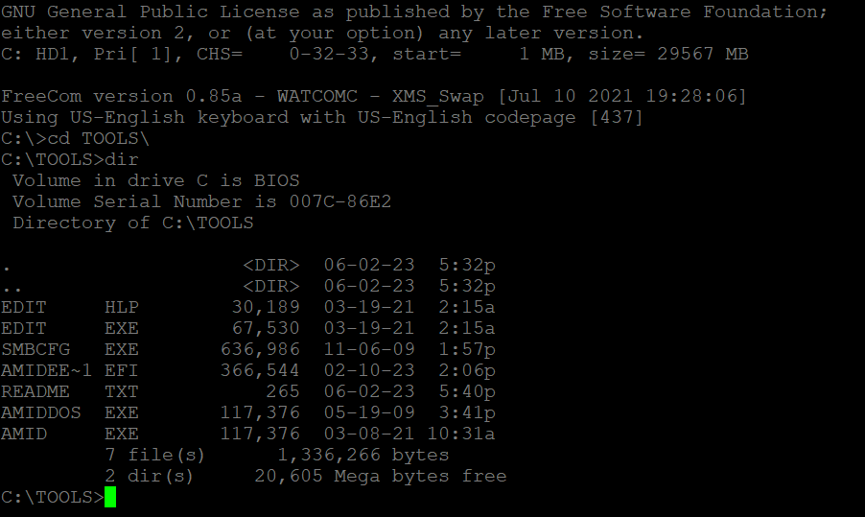
Run SMBCFG.EXE, then press F2 to enter modification interface.
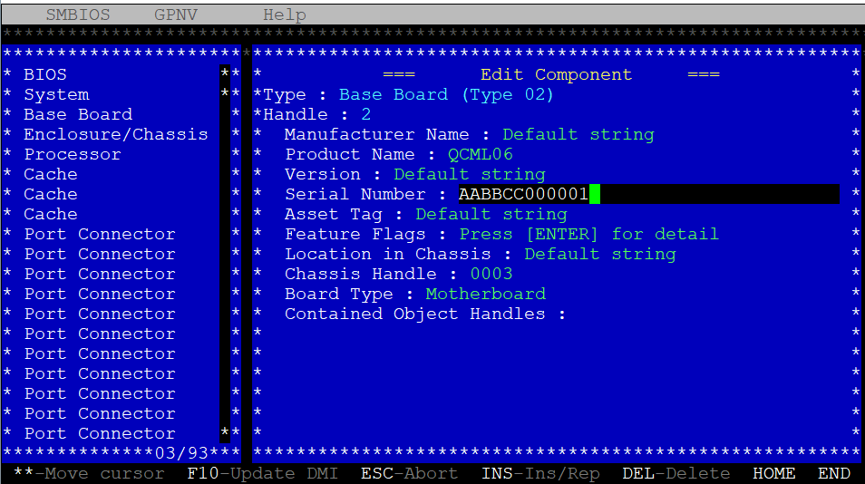
Press F10 to save changes, Esc to return to the main menu, and Alt+X to exit the program.
Reboot the device for settings to take effect.