User Manuals
How to Program Serial Number under UEFI Mode
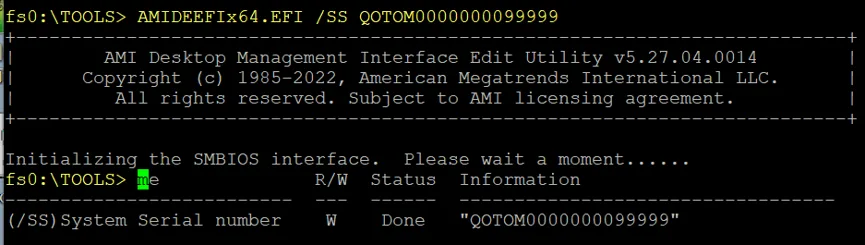
This guide shows how to program the device serial number via USB drive using AMIDEEFIx64.EFI in UEFI mode with step-by-step instructions.
Format the USB flash drive to FAT32.
Copy AMIDEEFIx64.EFI to the root directory of the USB flash drive.
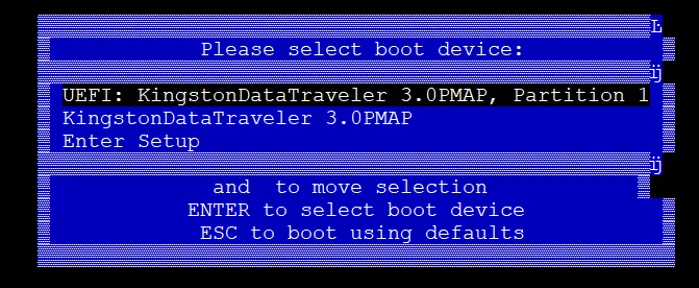
Power on the device and boot from the UEFI USB device.
Enter the USB storage device, which is typically mapped as
fs0.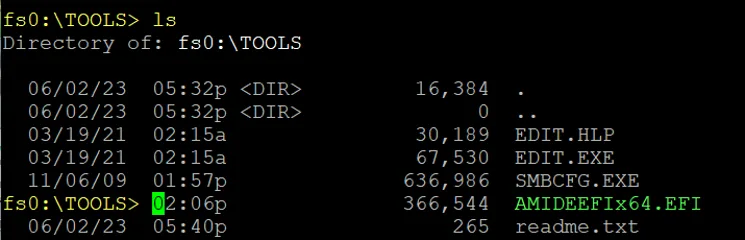
Note: If other storage drives exist, the USB drive may be assigned to
fs1,fs2or other identifiers.Execute command:
AMIDEEFIx64.EFI /SS [SerialNumber](replace[SerialNumber]with your actual serial number), then reboot the device.