# Kernel Panic on Proxmox VE 9.2 After Upgrading to Linux Kernel 7.0.14-8-pve
Proxmox VE 9.2 encounters kernel panic and boot freeze after installing kernel 7.0.14-8-pve. This compatibility issue only exists on this specific kernel build, while version 7.0.14-6-pve and older releases work normally. We share verified troubleshooting attempts and a temporary GRUB boot parameter workaround with known limitations.
#### Phenomenon Description
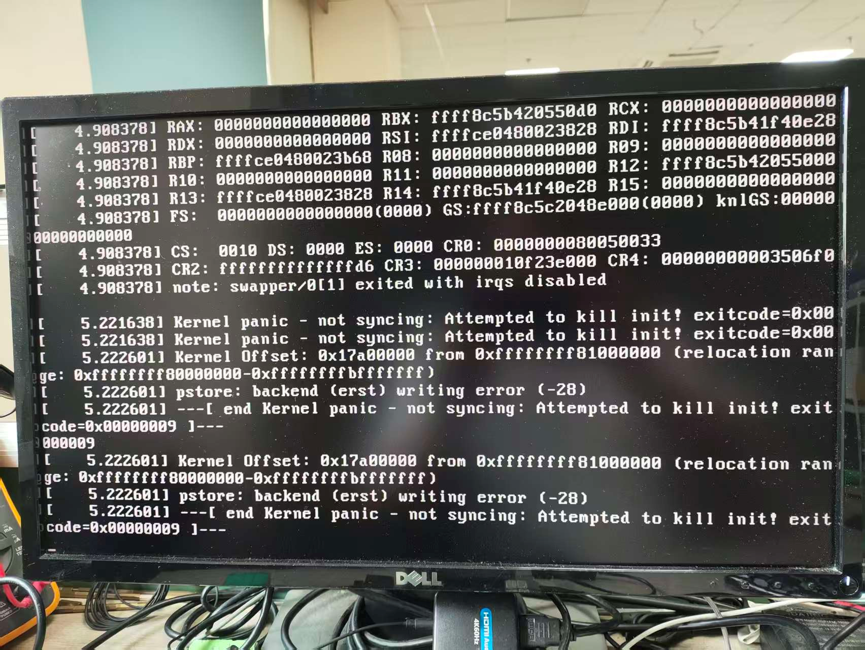
Customers reported that the system freezes and throws a kernel panic error during boot after manually installing `proxmox-kernel-7.0.14-8-pve-signed` on Proxmox VE 9.2.
The error printed on screen:
`Kernel panic - not syncing: Attempted to kill init! exitcode=0x00000009`
**Key feature of the fault**:
The crash exclusively occurs on kernel 7.0.14-8-pve. **Kernel 7.0.14-6-pve and earlier versions are free of this failure and run stably.**
#### Environment Information
- Operating System: Proxmox VE 9.2
- ISO Source: `proxmox-ve_9.2-1-arm64.iso`
- Fault-triggering kernel package: `proxmox-kernel-7.0.14-8-pve-signed_7.0.14-8_amd64.deb`
Kernel installation commands:
bash
```
wget http://download.proxmox.com/debian/pve/dists/trixie/pve-no-subscription/binary-amd64/proxmox-kernel-7.0.14-8-pve-signed_7.0.14-8_amd64.deb
apt install ./proxmox-kernel-7.0.14-8-pve-signed_7.0.14-8_amd64.deb
```
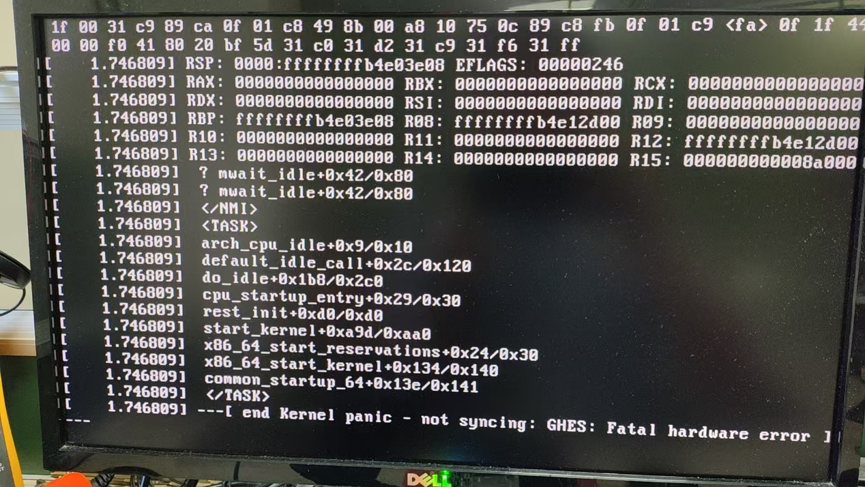
The failure happens in the early boot phase. The system cannot complete initialization, so crash logs cannot be saved to local storage.
We have performed the following BIOS adjustments for verification, none of which solved the kernel panic:
1. Updated BIOS microcode
2. Disabled CPU C-STATE
3. Turned off Machine Check function
#### Temporary Workaround
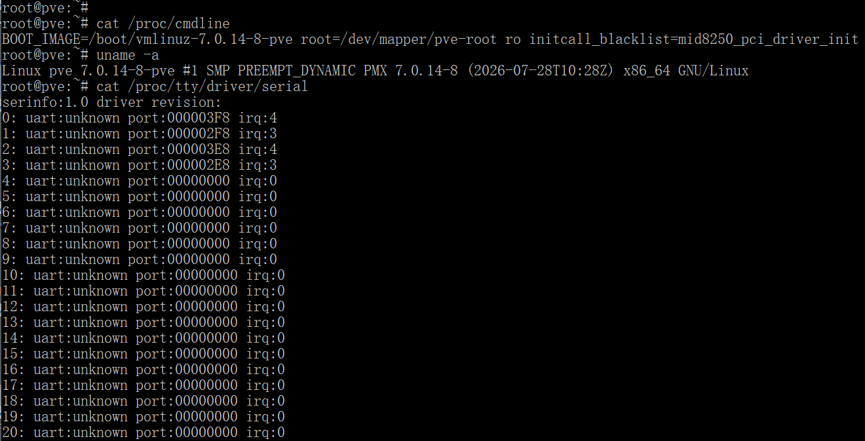
Append the boot parameter below to the GRUB kernel command line:
plaintext
```
initcall_blacklist=mid8250_pci_driver_init
```
##### Step-by-step Operation
1. When the GRUB boot menu appears, press **e** to edit the boot entry
2. Add `initcall_blacklist=mid8250_pci_driver_init` to the end of the linux kernel parameter line
3. Press **Ctrl + X** to continue booting
##### Important Side Effect Notice
This boot parameter disables the initialization of the mid8250 PCI serial driver. After applying this solution, PCI serial ports will stop functioning.
#### Recommendation for Customers
We suggest customers choose one of the following two options:
1. Keep using **kernel 7.0.14-6-pve** temporarily. This version does not have the boot crash issue and requires no extra modification.
2. If you need to run kernel 7.0.14-8-pve, apply the above GRUB boot parameter workaround, and accept the limitation that PCI serial ports cannot work.
#### Supplementary Note
We are continuing to investigate the root cause of the hardware compatibility regression introduced in PVE kernel 7.0.14-8-pve. We will update this article once a permanent solution is confirmed.
Updated: 2026-11-05T03:48:32.766519+00:00
Source: https://www.qotom.com/uk/support/kernel-panic-system-freeze-on-proxmox-ve-9-2-with-pve-kernel-7-0-14-8-pve