
使用说明
How to Prepare USB Stick for Update BIOS under DOS Mode
This tutorial walks you through preparing a bootable USB stick with Rufus for DOS-mode BIOS refresh. It covers downloading Rufus, configuring correct USB settings, creating the DOS boot drive, and placing extracted BIOS files to the USB root directory for firmware updating.
1.Download the tool Rufus.
Open the tool, selection parameters based on below screenshot, and start making the USB-Stick of refresh BIOS.
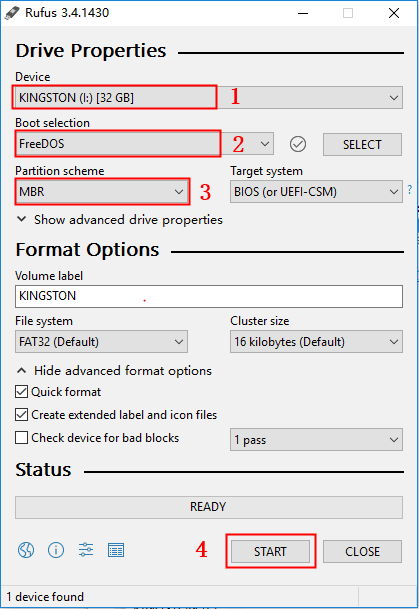
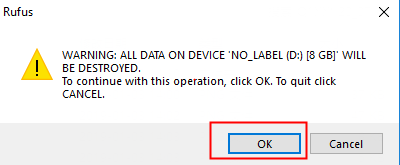
2.Click to “OK” in pop-up window and waiting till completed.
3.After the BIOS file is unzipped, put it into the root of USB-Stick