
使用说明
How to Update BIOS under DOS Mode
Follow this step-by-step guide to update BIOS under DOS Mode on Qotom Mini PC. Boot from USB via F7/F11 boot menu, enter DOS interface and run the command F to initiate BIOS firmware flashing. Remember not to cut power during the upgrade.
Step-by-Step Operation
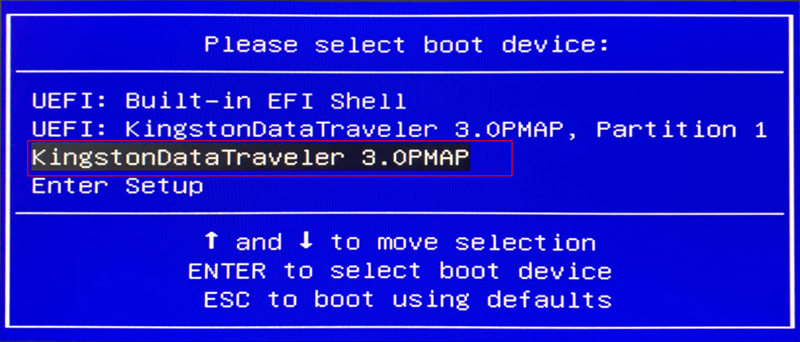
Power on the mini PC. Press F11 or F7 repeatedly during startup to bring up the boot menu, then select the bootable USB drive.
The device will boot and enter the DOS interface automatically.
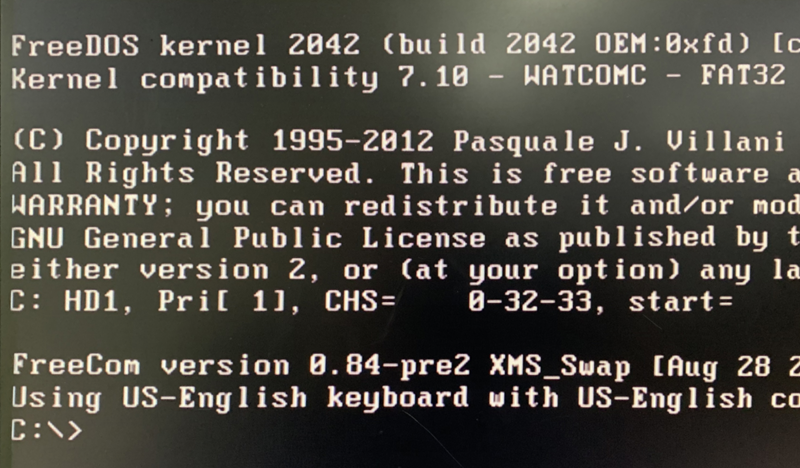
Type the letter F, press the Enter key to start the BIOS refresh procedure.
Warning: Do NOT disconnect power during BIOS flashing. Power loss may damage the firmware and render the mini PC unbootable.