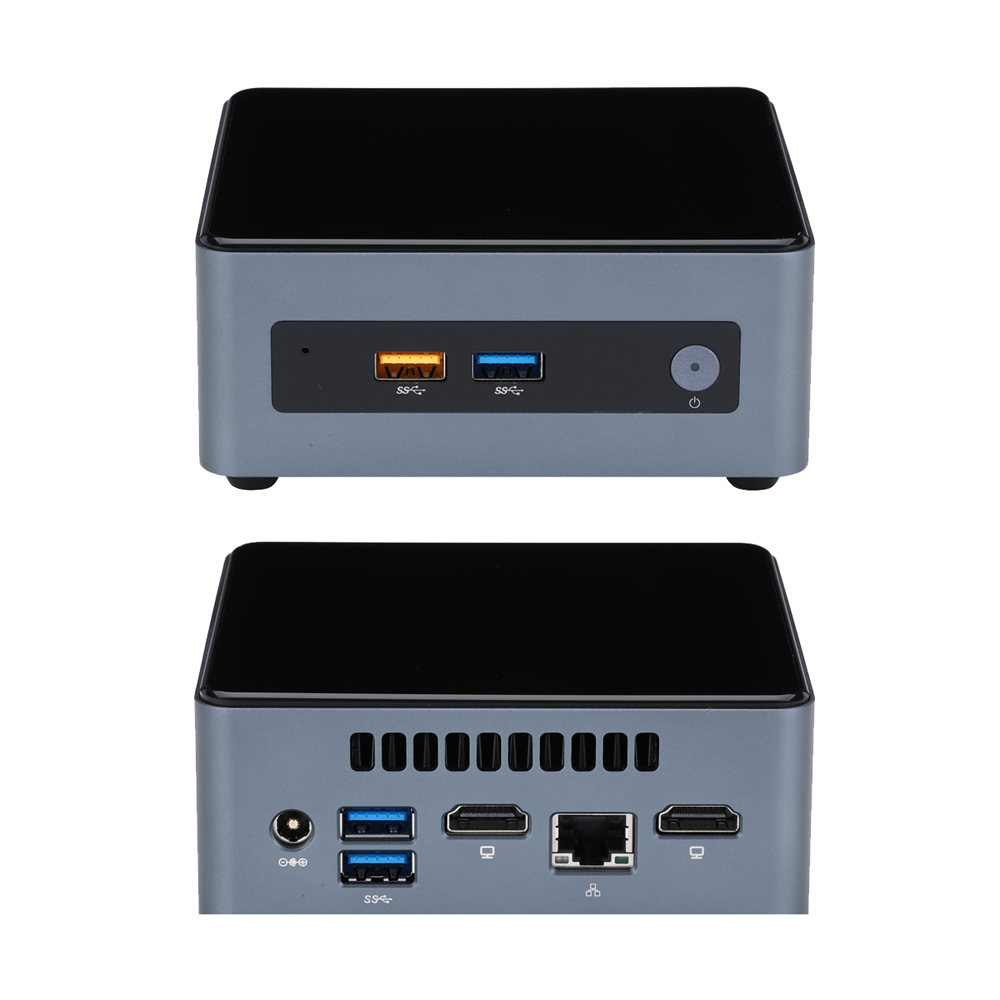
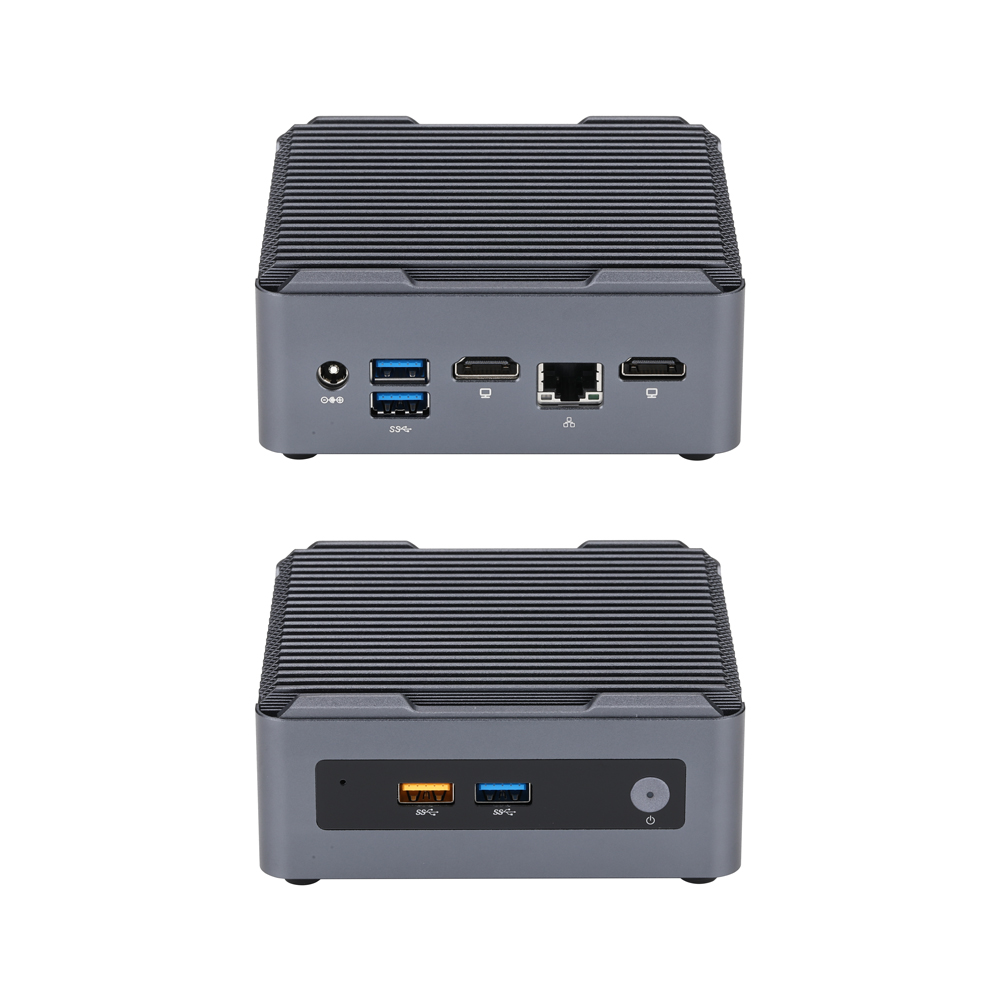
使用说明
Q10531 | How to Configure Auto Power‑On After AC Power Recovery
Learn to set Qotom Q10531 auto‑power‑on after power loss via BIOS: press F2, go to Advanced > POWER > Secondary Power Settings‑After Power Failure, set to Power On, save with F10 for 24/7 unattended operation.
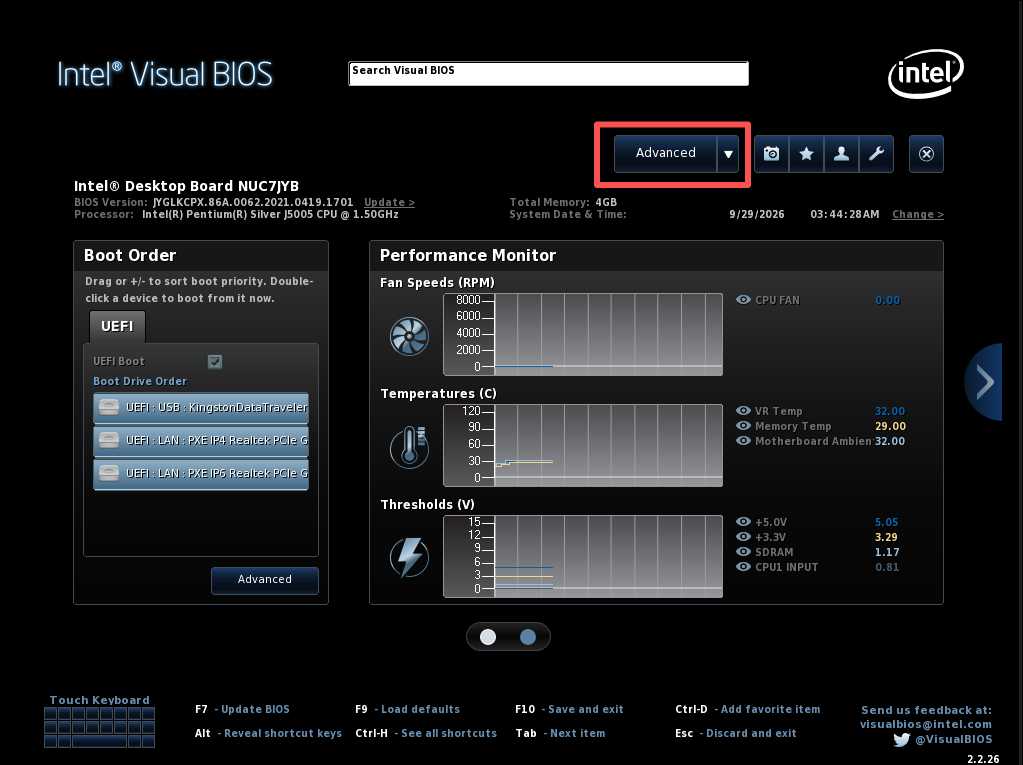
Follow the steps below to enable automatic power-on after power loss:
Power on the device and press F2 to enter the BIOS interface.
Click the Advanced tab on the top navigation bar to access advanced settings.
Click the POWER tab on the top navigation bar to enter power management settings.
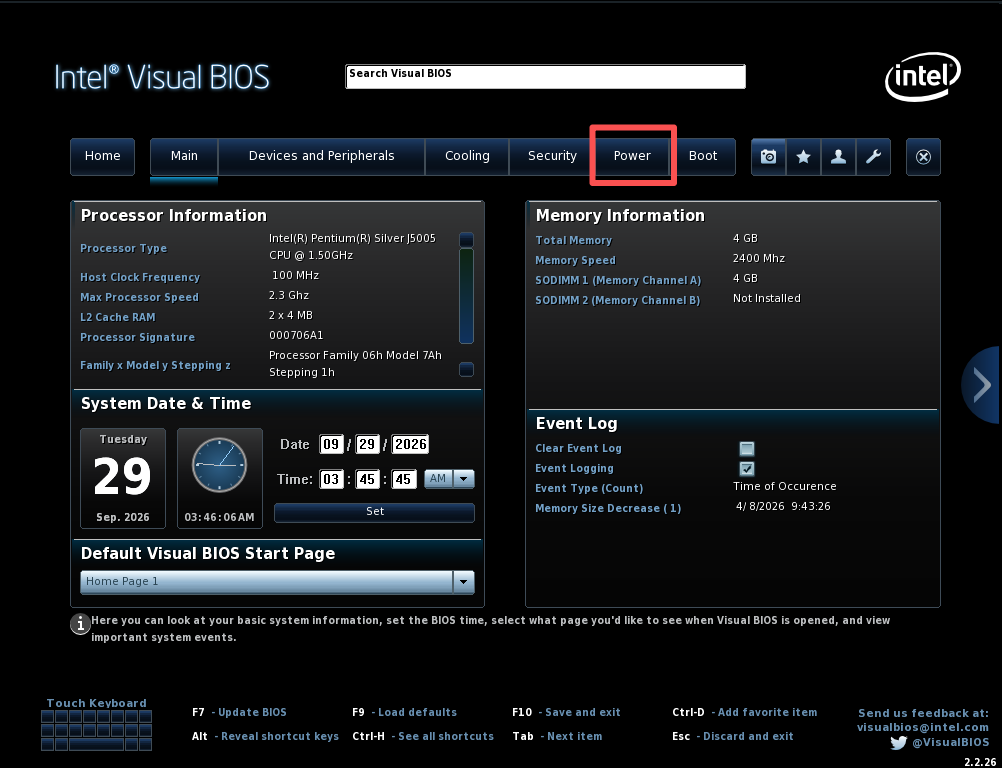
Locate After Power Failure in the Secondary Power Settings section on the right, then set its value to Power On.
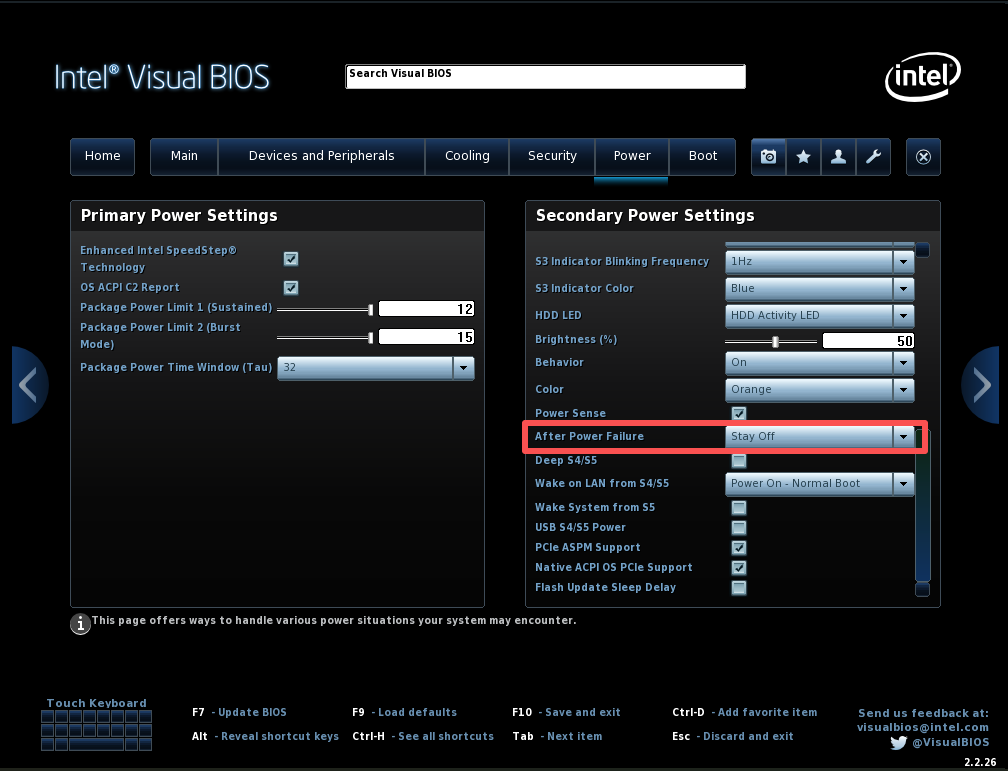
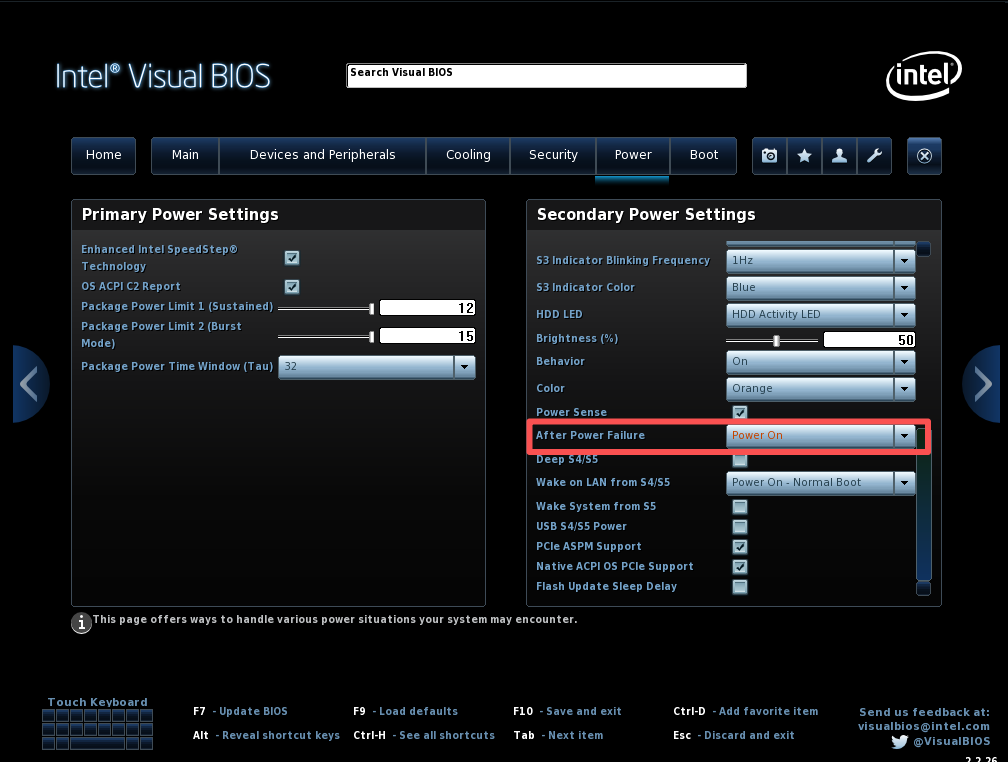
Press F10 to save changes and restart the device to take effect.