User Manuals
Q20300S9 | How to Configure Auto Power-On After AC Power Recovery
Learn how to enable auto power-on after AC power recovery on Q20300S9 Mini PC via BIOS. Access IntelRCSetup > South Bridge Chipset Configuration > State After G3 and set the option to Power On for unattended continuous operation.
Enter BIOS setup.
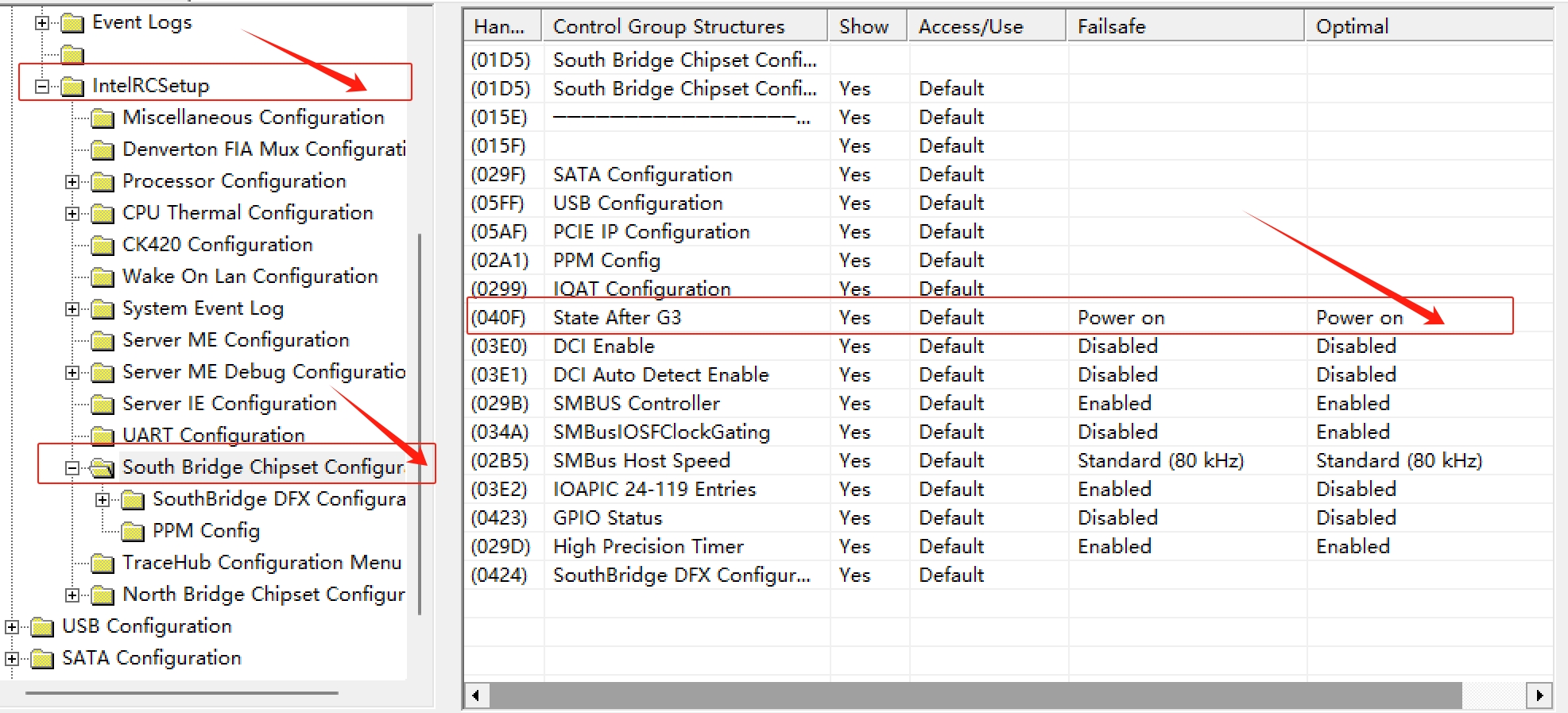
Navigate to: IntelRCSetup → South Bridge Chipset Configuration → State After G3
Set State After G3 to Power On.
Save changes and reboot the device.
Description: This setting allows the Q20300S9 Mini PC to boot automatically once AC power is restored after power outage, ideal for unattended 24/7 network and industrial applications.
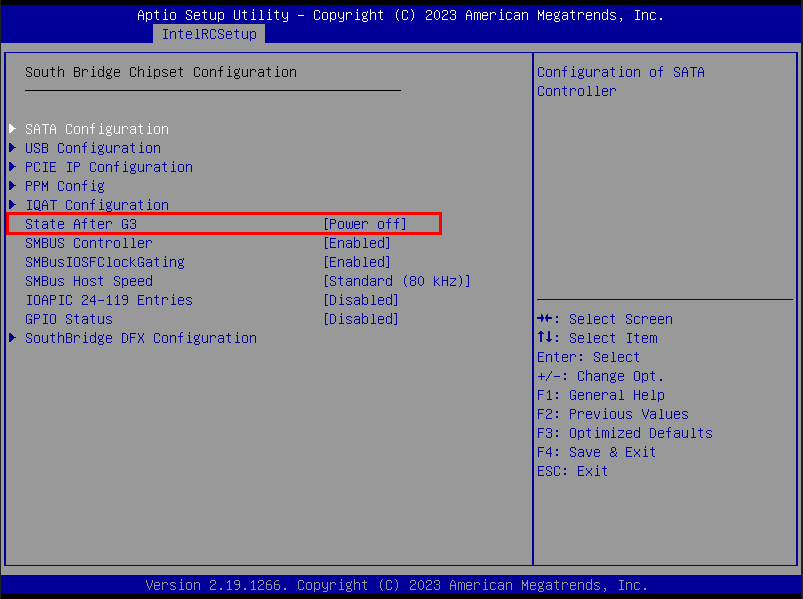
BIOS -> IntelRCSetup -> South Bridge Chipset Configuration -> State After G3 -> Power on -> Save and Reboot