Why does Intel Iris Xe / Arc GPU show up as Intel UHD Graphics
Why Intel Iris Xe / Arc GPU shows as Intel UHD Graphics in Windows? This FAQ explains the dual-channel memory and EU count requirements for correct GPU identification.

If your device comes with an Intel processor with integrated Intel® Iris® Xe Graphics or Intel® Arc™ GPU, but Windows reports it as Intel® UHD Graphics, here is the explanation:
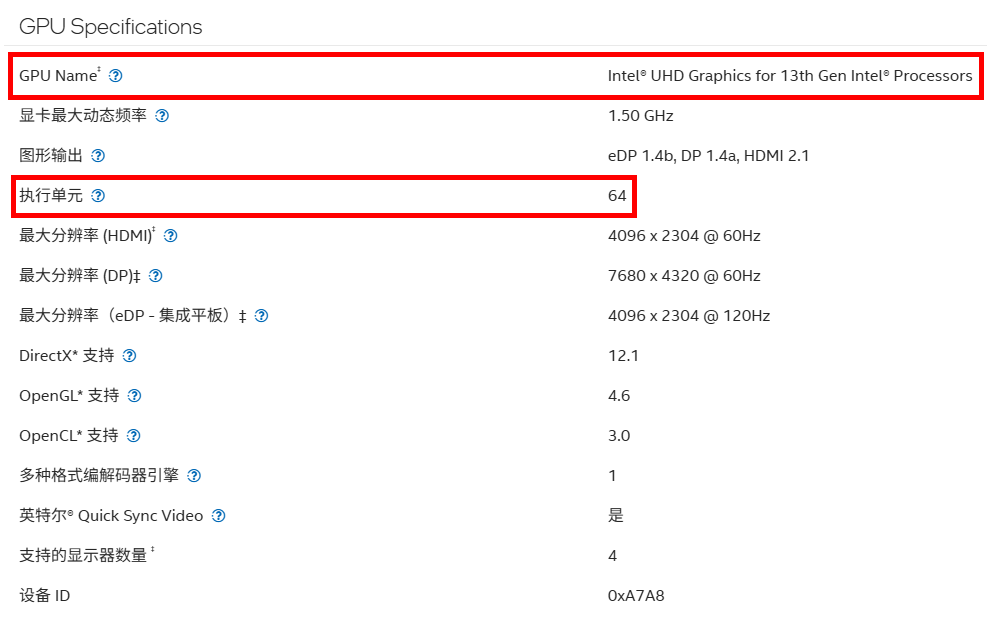
To enable full performance of Intel® Iris® Xe or Intel® Arc™ Graphics, two requirements must be met: dual‑channel memory, and GPU Execution Units (EU) greater than 80. Otherwise, the graphics adapter will only be identified as Intel UHD Graphics。
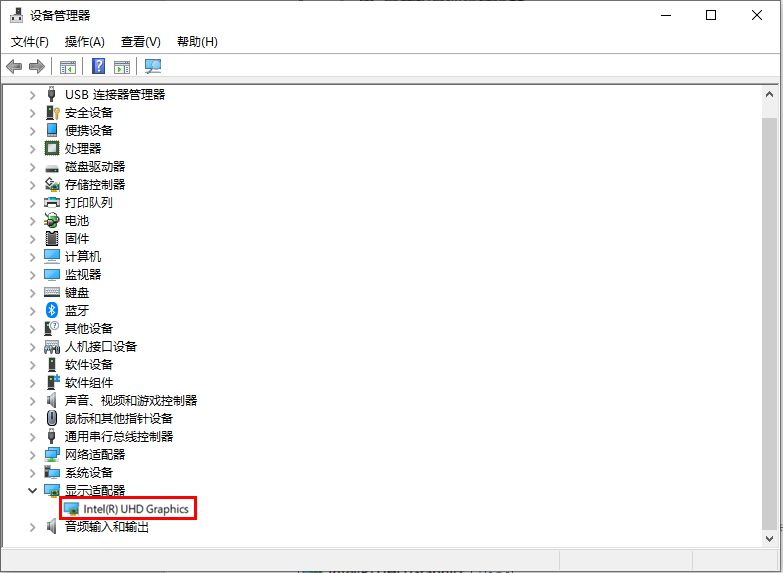
For further details, please refer to the product support article on Intel official website.
How do I check the GPU and number of Execution Units of my CPU?
Go to Intel official website and search for your CPU model (example: Intel® Core™ i5‑1135G7).
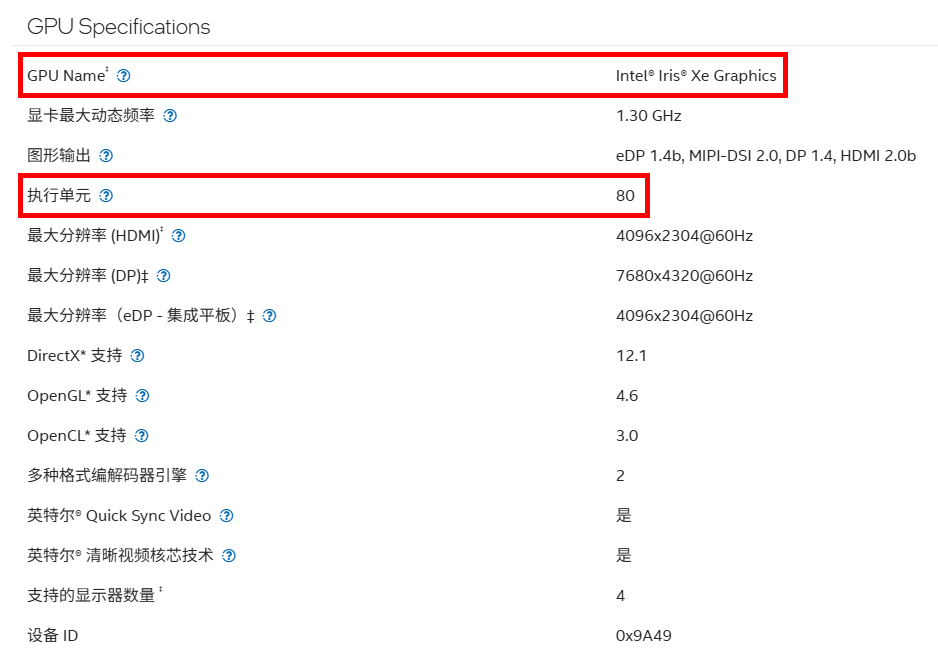
Under GPU Specifications, you can find the GPU name and Execution Units count.
Example: Intel® Core™ i5‑1135G7 features Intel® Iris® Xe Graphics with 80 Execution Units。
Counter‑example: Intel® Core™ i7‑13620H does not include Intel® Iris® Xe Graphics; it has only 64 Execution Units。